I redesigned scheduling around the decision behind the booking.
AMH’s Field Managers assign property maintenance jobs to technicians, who travel between homes to carry out the work. A gap in the diary only answers one question. Does the journey make sense? Is the work urgent? Can it happen at that time?
Workflow definition, research synthesis & interaction design
The working context
Operational SME collaboration, then direct Field Manager validation
Scale of the operation
1,300 technicians · 55,000 properties Across multiple markets
01 / The central design move
Put the day and the journey in the same conversation.
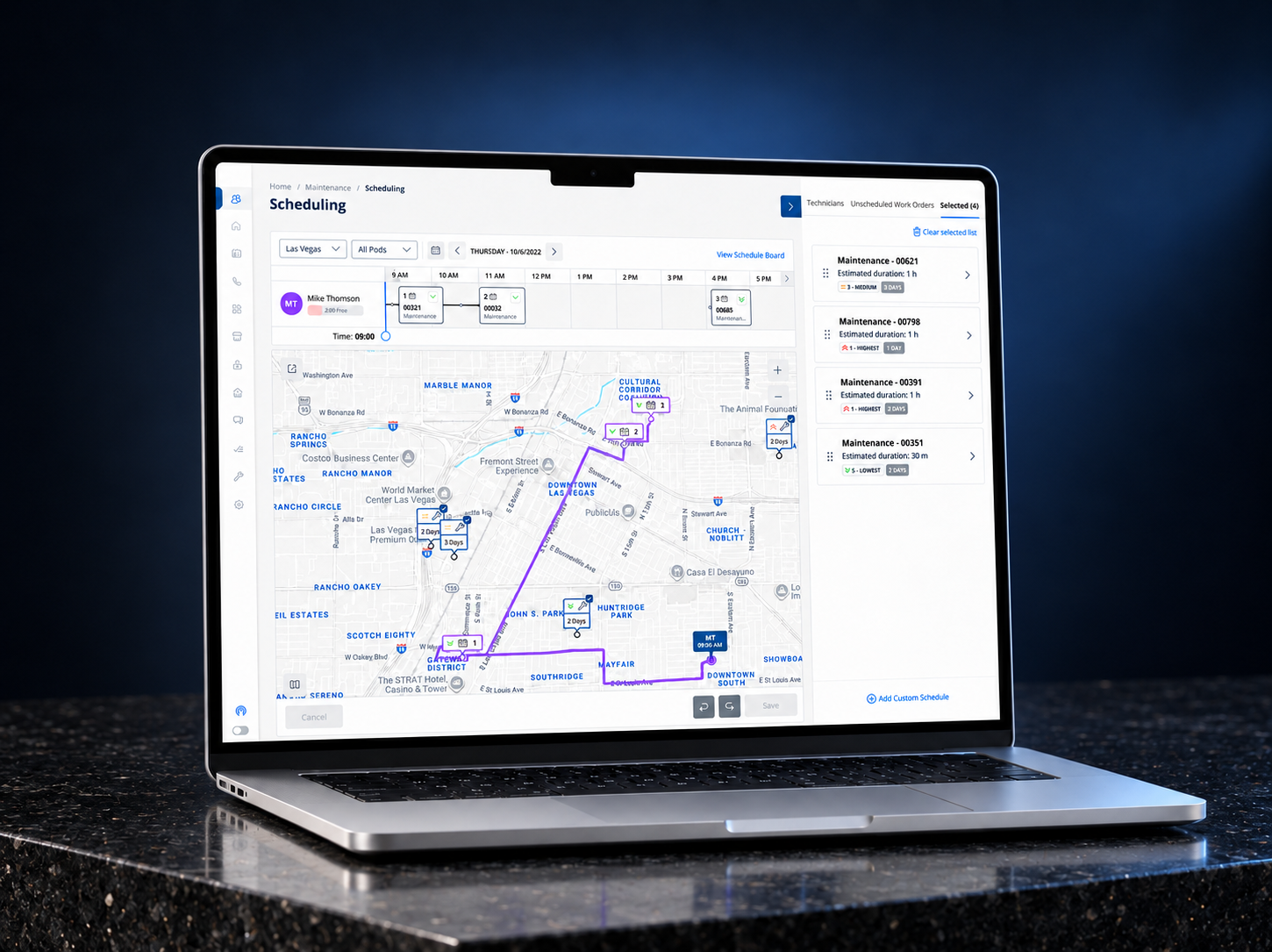
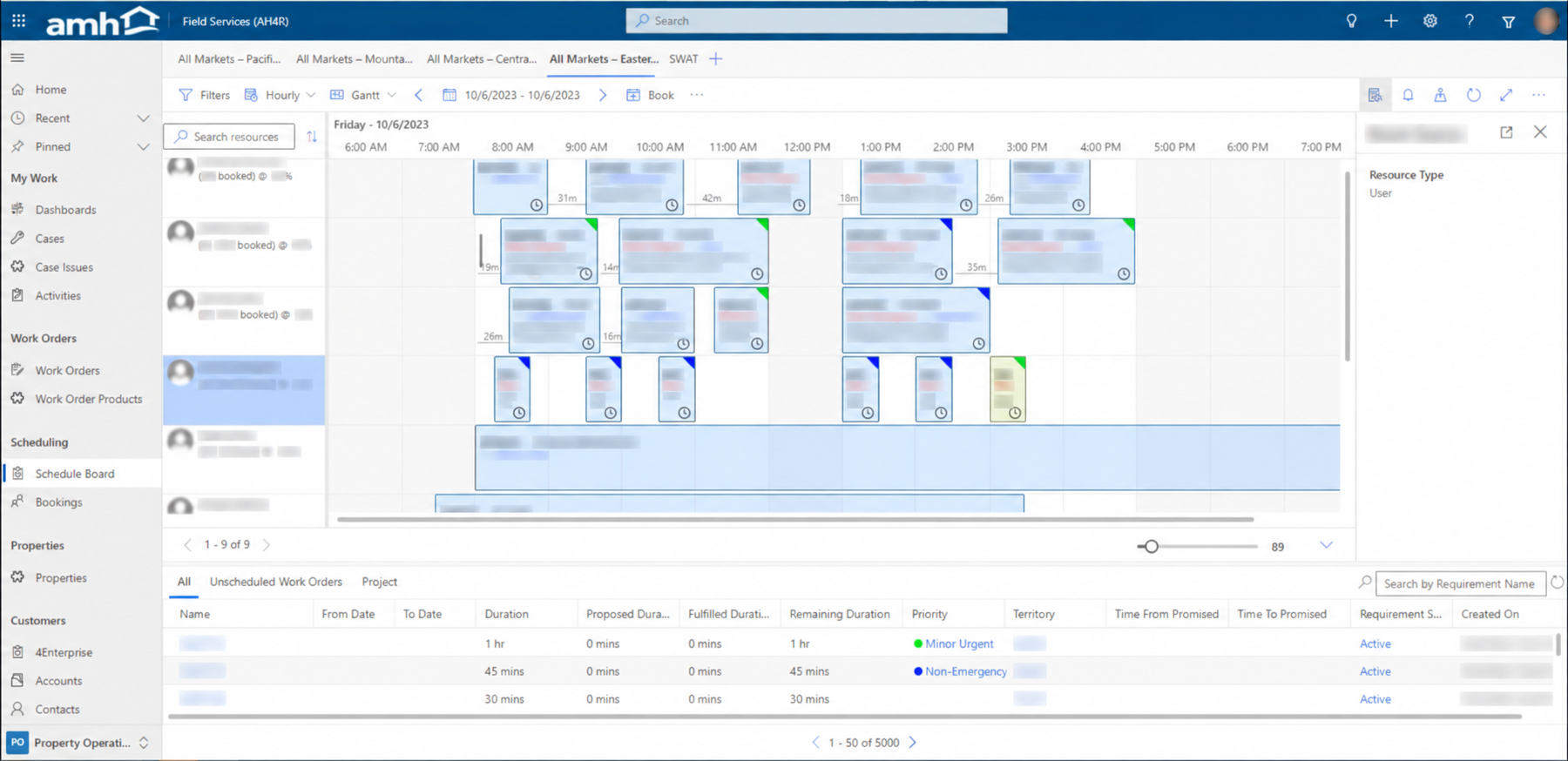
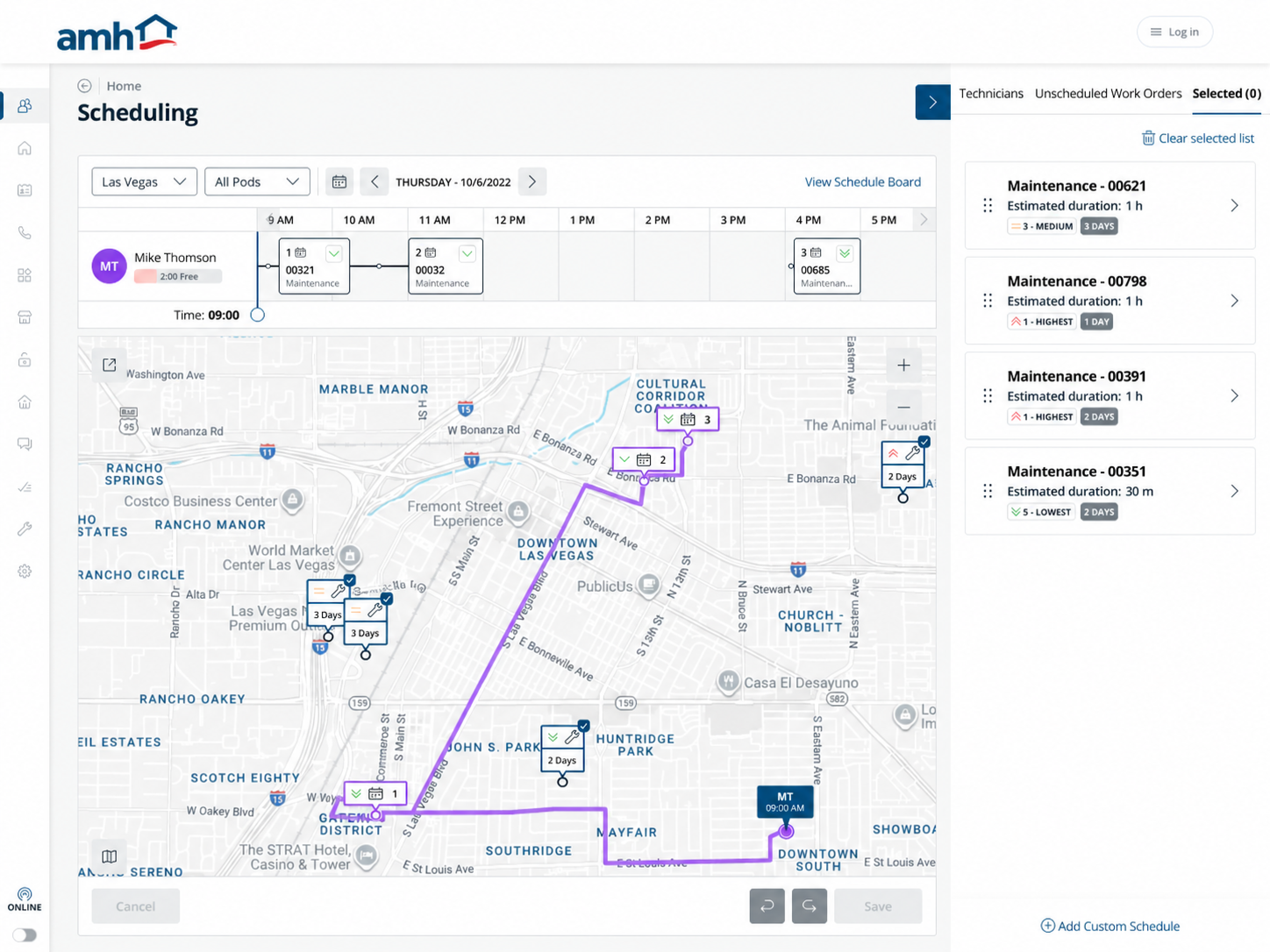
The legacy board already showed bookings, utilisation and travel intervals. My contribution was bringing a selected technician’s timeline, mapped route and candidate work together, so a free slot could be judged in context.
Before / Legacy schedule board
Scan the team’s bookings.
Technician rows and a time grid above an unscheduled-work table.
Different data and levels of focus: a legacy team board and a redesigned selected-technician view. The redesign also retained a team schedule board.
01
The dayCapacity and booked sequence stay beside the technician.
02
The journeyNumbered stops connect the timeline to the route.
03
The candidatesDuration, priority and age remain visible while assessing fit.
02 / Two supporting decisions
Narrow the work. Then make the commitment.
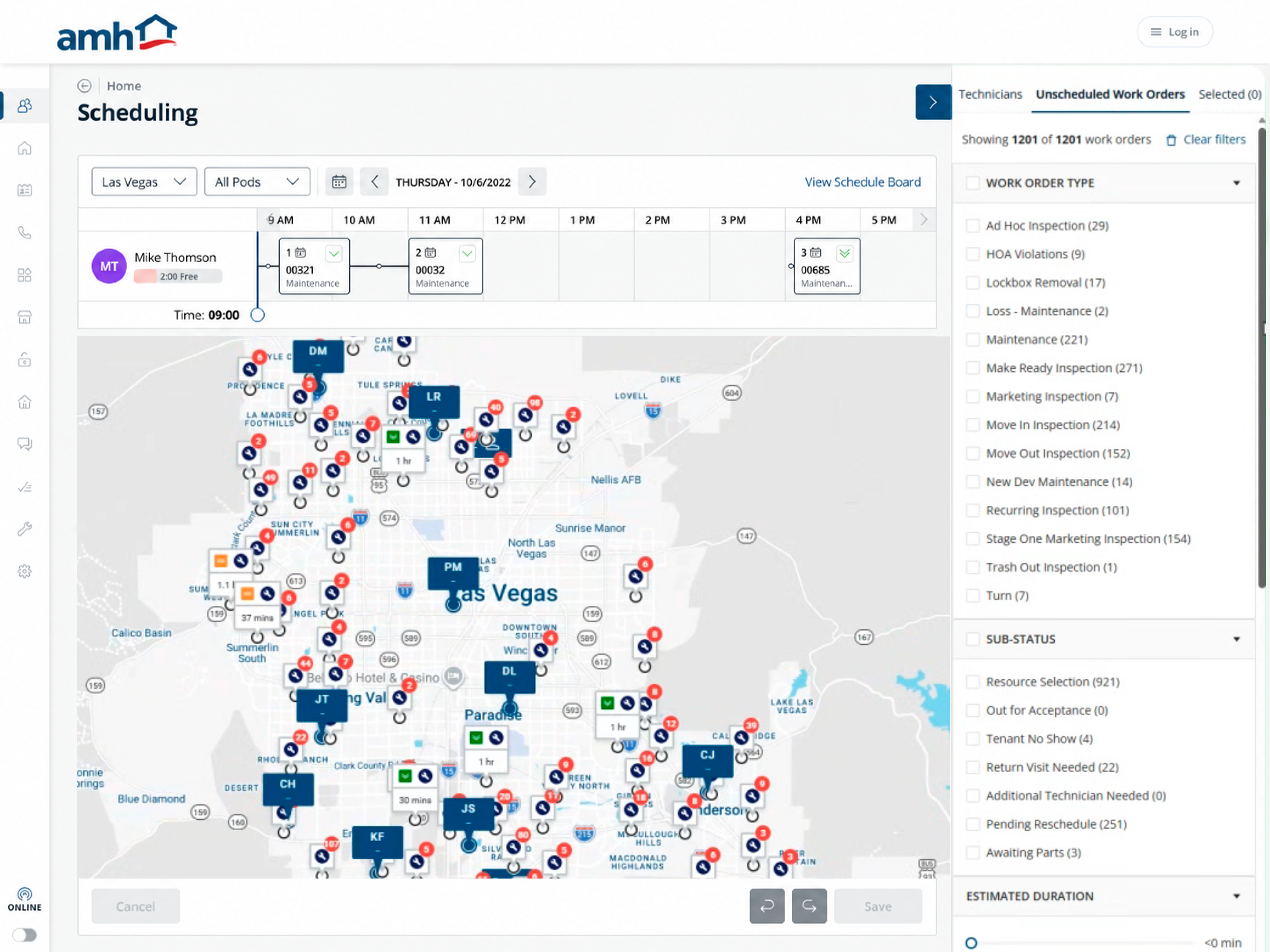
Full screen ↗Detail / Unscheduled Work OrdersClick image to enlarge ↗
Turn a large queue into a shortlist.
A market could have more than 1,000 unscheduled jobs. I separated finding suitable work from deciding where it fitted: filter by operational needs, then assess selected jobs against the technician’s day.
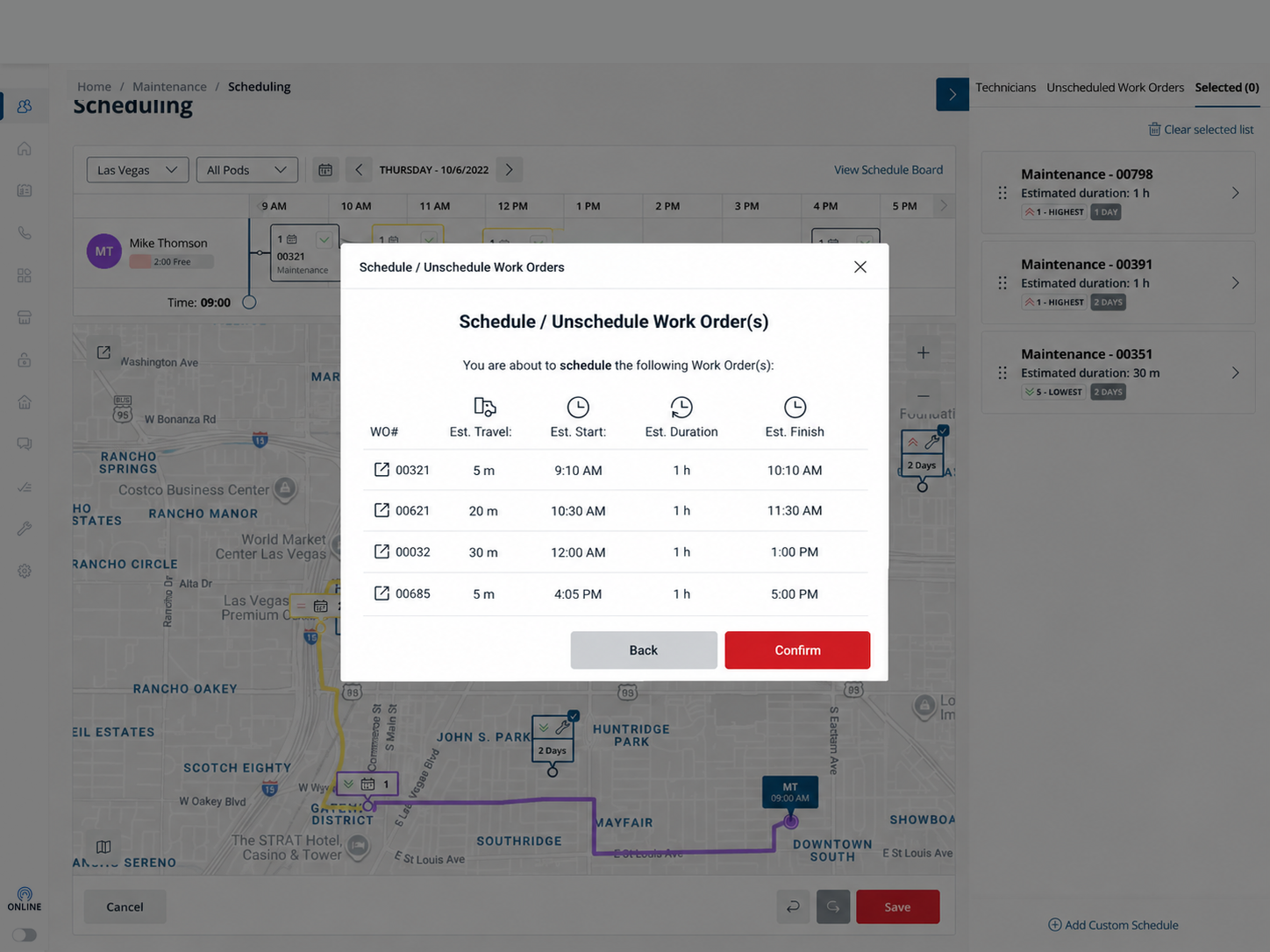
Full screen ↗Detail / Review before assignmentClick image to enlarge ↗
Put friction where it earns its place.
Exploration stayed flexible. Committing work was deliberate. A final review brought estimated travel, start, duration and finish into one place, with a clear route back to revise the plan.
03 / The moment that sharpened it
Less on the map. More clarity.
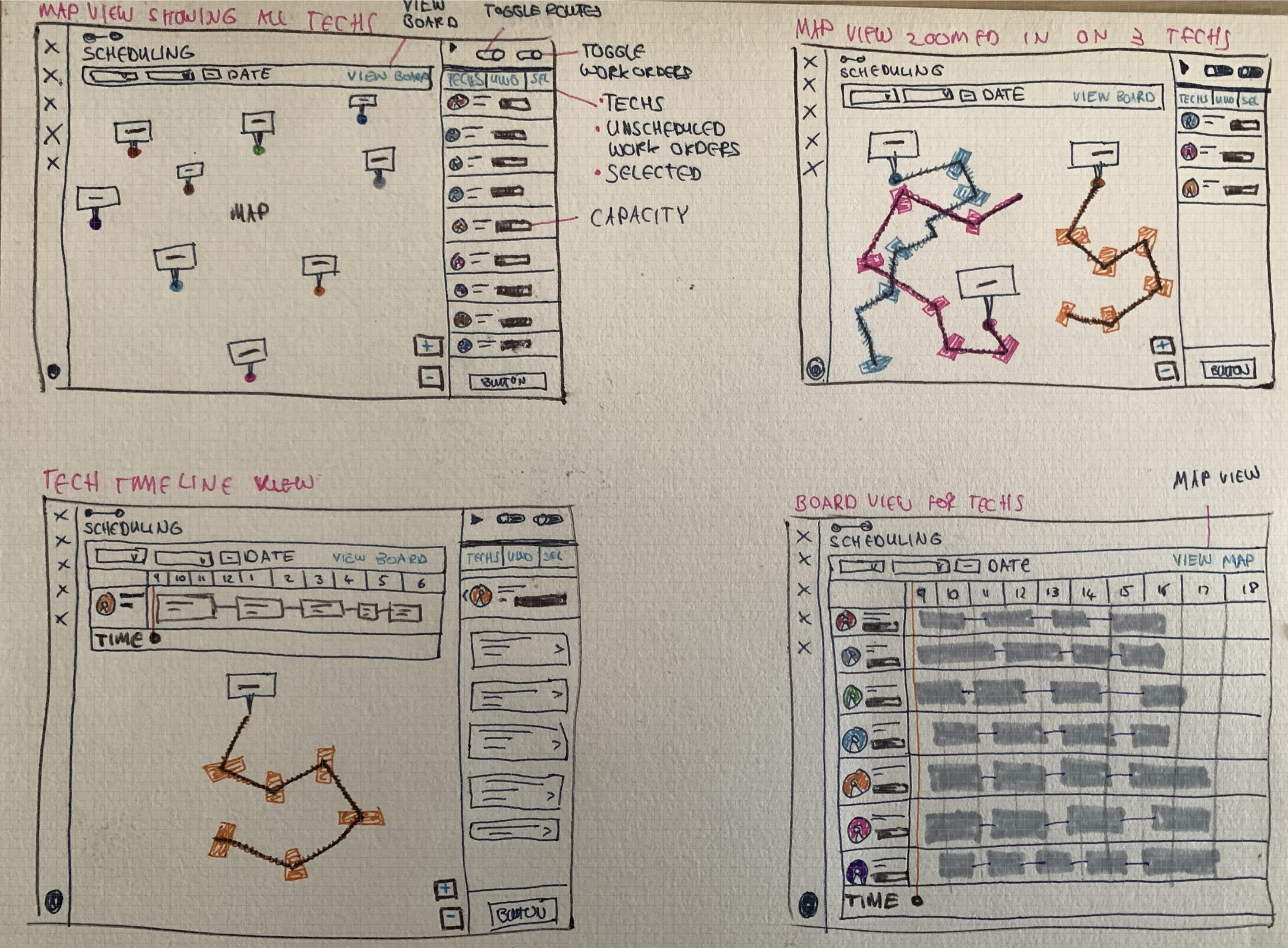
With no initial user access, I worked with an operational SME to map the workflow and challenge assumptions. Four rounds of paper sketches explored the relationship between map, timeline and workload.
In a later moderated session, one experienced Field Manager wanted the other technicians removed once a technician was selected. That sharpened the direction: retain market context while choosing, then simplify the view when planning one person’s day.
One session was a focused challenge to the working model, not broad validation.
From the working processIteration 04 / 04
Inspect sketches ↗The fourth paper iteration brought map, route and timeline ideas into a shared workspace.
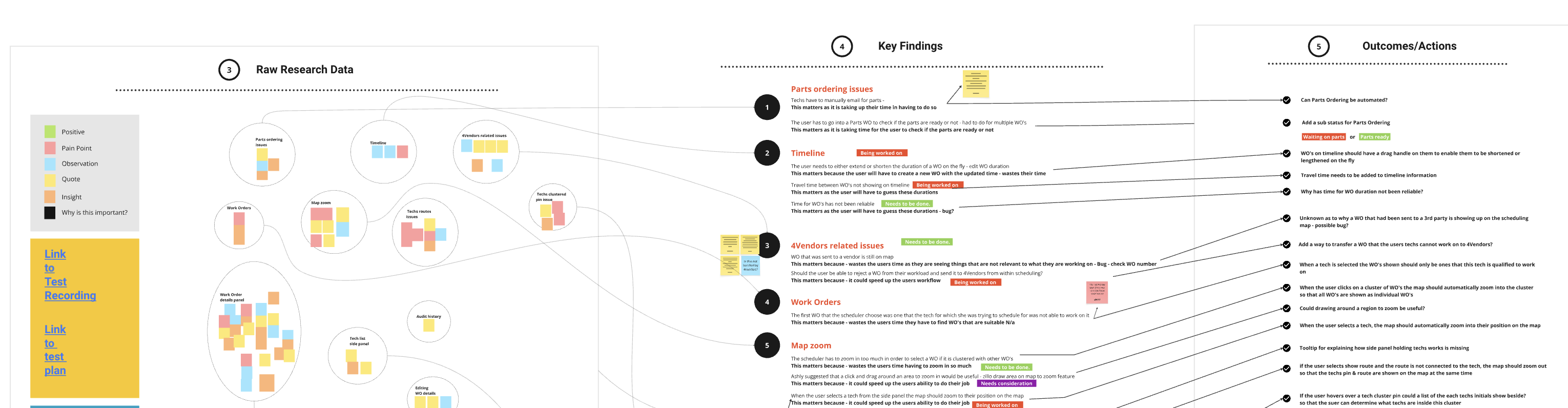
From observations to product actions.
I grouped the raw research into key findings and linked them to proposed actions, making the reasoning behind the recommendations visible.
The redesign made capacity, travel and candidate work visible together, with a checkpoint before commitment.
My central contribution was a decision model that connected the person, the work and the point in their day. That model carried through the sketches, interface and review flow.
The next conversation
That’s the short story. Let’s talk through the decisions.
In an interview, I can take you inside the work:
01
What I kept. What I let go.
The paper iterations and how the shared workspace emerged.
02
How I worked with incomplete evidence.
SME input, assumptions and the Field Manager session.
03
Where the trade-offs landed.
Route calculation, map focus and deliberate confirmation.
 Full screen